

This is the new temporary home for my former TechNet blog, previously hosted at https://blogs.technet.microsoft.com/samdrey/ . Un plombier a toujours de bons tuyauxRaherd Nanabar
Category: Uncategorized
How-To – Find how many connections Outlook makes to your Exchange infrastructure using Netstat.exe

In this quick procedure we leverage TaskList.exe command (default Windows command line utility) to get a specific process name and ID, and the Netstat.exe command (also a default Windows command line utility) to quickly find the opened connections from a specific application. Note: you can use other tools to get these, like the Windows … Continue reading How-To – Find how many connections Outlook makes to your Exchange infrastructure using Netstat.exe
Exchange 2013/2016/2019 & ExO – a sample Get-Mailbox GUI
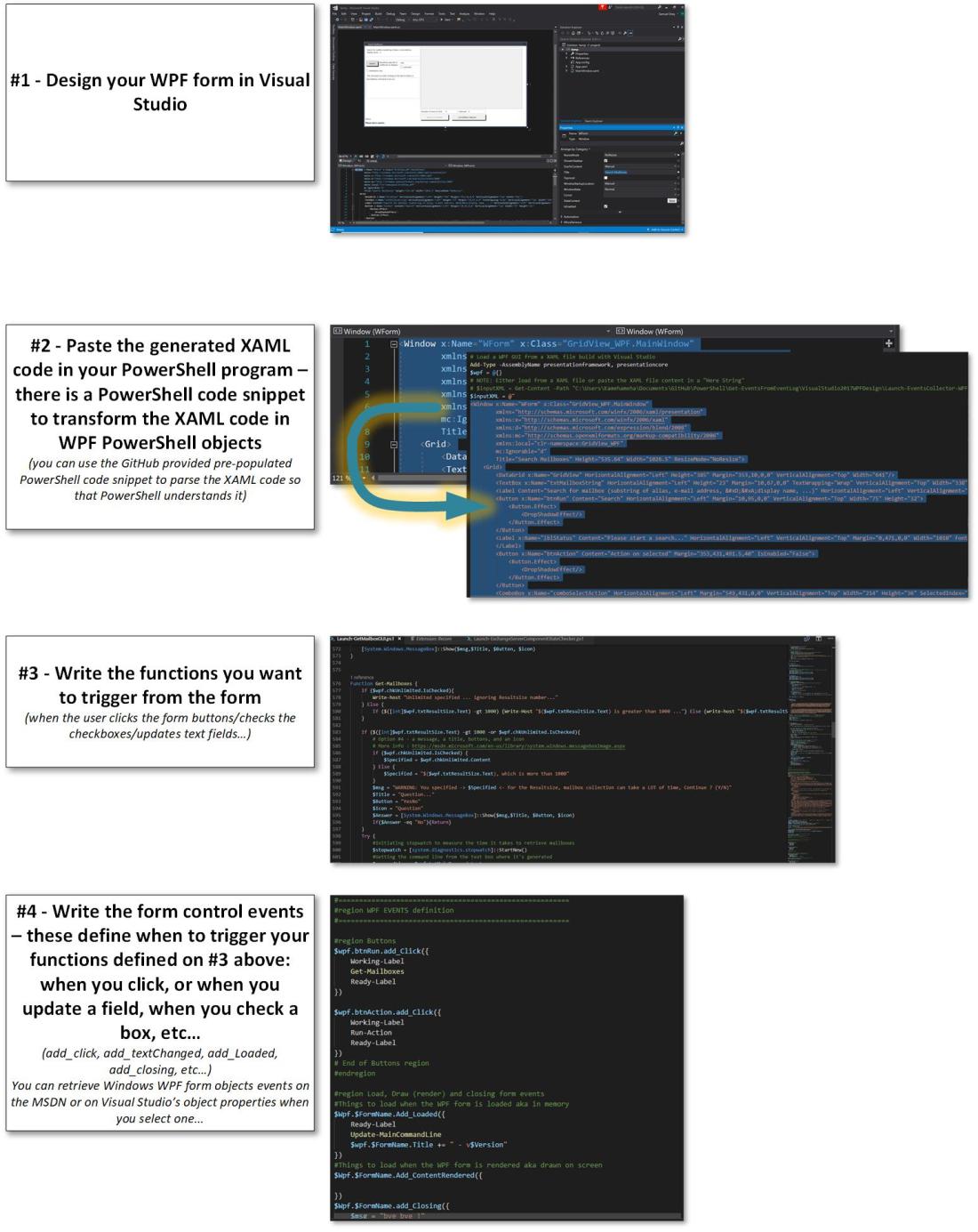
Here is a GUI to get mailboxes information in an Exchange 2010, 2013, 2016, 2019 and/or Exchange Online (O365) environments. I initially created this GUI just to illustrate how we can use Windows Presentation Foundation (WPF) forms to ease up the execution of PowerShell commands. Download link is at the very end of this article. … Continue reading Exchange 2013/2016/2019 & ExO – a sample Get-Mailbox GUI
Exchange Server 2013/2016/2019 Components Checker

Here’s the latest addition in Exchange 2013/2016/2019 server quick tools. Sometimes, for maintenance or issues detected by Exchange Managed Availability, some components like Client Access, Autodiscover, Mail flow, etc... can be down on Exchange servers, which "exclude" these servers from the pool of Exchange servers. Here's a tool that helps you to check the state … Continue reading Exchange Server 2013/2016/2019 Components Checker
Dynamic Distribution Group creation tool (PowerShell command generator to create Distribution Groups)

I. Introduction See the Download section below for the link to download the tool. In Exchange 2010/2013/2016 and Exchange Online (the messaging component of Office 365), we can create Dynamic Distribution Groups in two ways : Using the Exchange Administration Console (HTML based) Using the Exchange Management Shell (Command line based) More information about the … Continue reading Dynamic Distribution Group creation tool (PowerShell command generator to create Distribution Groups)
PowerShell command line generator for Exchange (2010,2013, 2016) Recovery Database creation and make it use existing database and log files
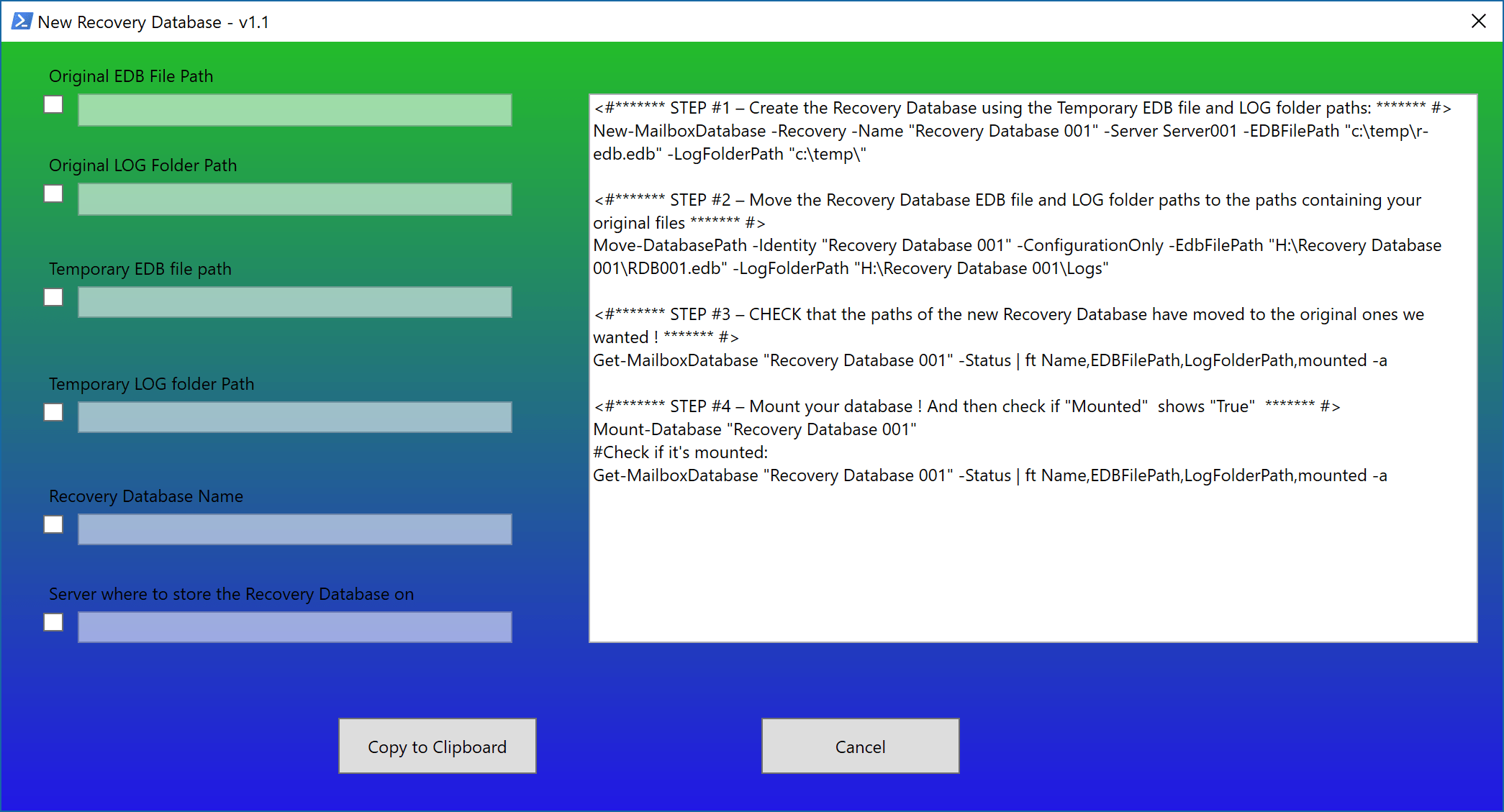
Description Download link at the very end of this article... This program is a Graphical User Interface that will help you generating Exchange Management Shell command lines to: Create a Recovery Database using temporary path for the database and its corresponding LOG files set Point that newly created Recovery Database to an existing database file … Continue reading PowerShell command line generator for Exchange (2010,2013, 2016) Recovery Database creation and make it use existing database and log files
Autodiscover test tool – (c) from Kip Ng
Hi all, I was looking for a tool or a script that would help me to test the Exchange Autodiscover process a bit like the Microsoft Remote Connectivity Analyzer would do, but standalone and more dedicated to Exchange or O365 (Exchange Online) Autodiscover process. And I found this very practical, simple to use, useful Autodiscover … Continue reading Autodiscover test tool – (c) from Kip Ng
Event Logs CSV Collector: Created a Graphical User Interface around the Get-EventsFromEventLogs.ps1 script

*** Edited - added a function to check for Powershell V3 (Function IsPSV3 () - required) and exit if not *** Hi mates, This is just a quick post to let you know that if you would prefer some mouse interaction and a more graphical input for the Get-EventsFromEventLogs script. Basically, this GUI will … Continue reading Event Logs CSV Collector: Created a Graphical User Interface around the Get-EventsFromEventLogs.ps1 script
Outlook 2010/2013/206–General recommendations to avoid latencies, crashes, or general bad user experience

Since I started to work with Outlook and Exchange in 1999, I am still seeing Outlook clients used or configured with bad practices in 2018. And I have to repeat or resend the same links. That’s why I think it useful to re-write a more recent post about what we, as Microsoft on-site, hands-on engineers, … Continue reading Outlook 2010/2013/206–General recommendations to avoid latencies, crashes, or general bad user experience
Exchange 2013/2016 – Transport Storage Disk Space Sizing Tool

** Updated the tool with control for "Servers Failure Tolerance per DAG" to not exceed the number of MBX servers entered + added disk space required for OS disk assuming you install both Windows and Exchange on the same drive - usually C: ** All the information that led to that calculator come from the … Continue reading Exchange 2013/2016 – Transport Storage Disk Space Sizing Tool
 Sam the Microsfotee's Blog